
Project Management Tool
Smart ProUP is a powerful, easy to use Project Management software designed to bring precision, control, and visibility to project execution in facility and engineering environments.
As a native add-on, ProUP enables teams to plan, execute, monitor, and archive projects with structured workflows, secure approvals, and intelligent task-based dynamic status tracking. Featuring intuitive dashboards and real-time collaboration, ProUP ensures projects are delivered on time, within budget, and in full compliance.
Unlocking Your Potential, Unleashing Your Success
We are passionate about helping businesses grow and achieve their full potential
Why Proup

- Task-Driven progress. real-time status based on task completion.
- Smart Approvals – Automated workflows with full audit trails.
- Change Control – Secure updates via formal change requests.
- Intuitive UI – Gantt, Board, Calendar & Dashboard views.
- Role-Based Access – Full control over who sees and does what.
- Chat with users for queries and support.
Project Role
Key Features

Smart Project Planning

Milestone, Tasks & Sub-tasks

Document Security

Multiple Views

Chat

Governance & Control

Change Management

Dashboards & Analytics
Smart Project Planning
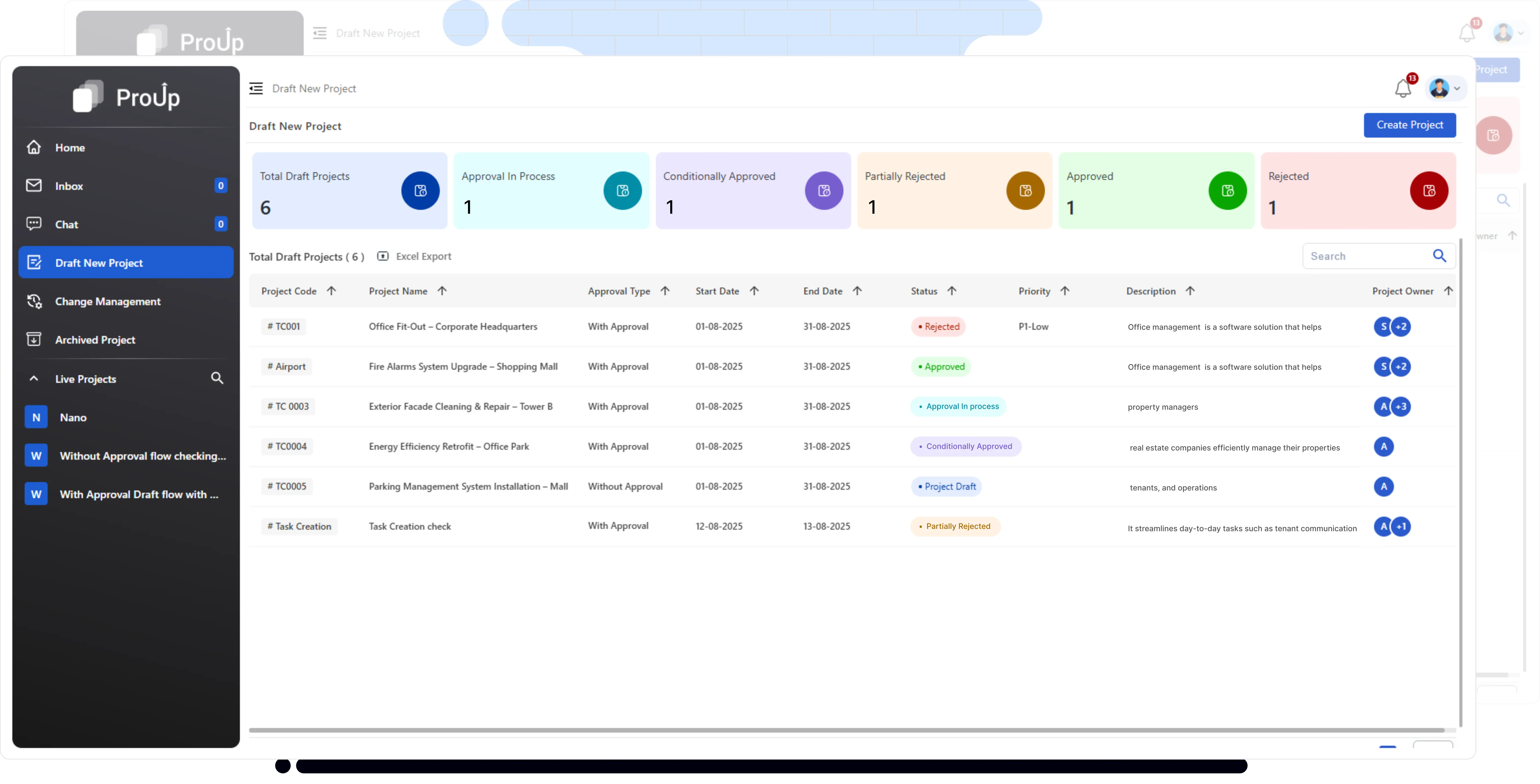
Plan with precision — create projects in draft mode, set timelines, budgets, and priorities, and assign responsibilities before going live.
- Draft Mode for full control before approval.
- Define code, name, type, priority, and cost estimation.
- Assigning Project Owners, Assignees, Watchers.
- Approval or Without-Approval workflows.
Milestone, Tasks & Sub-tasks
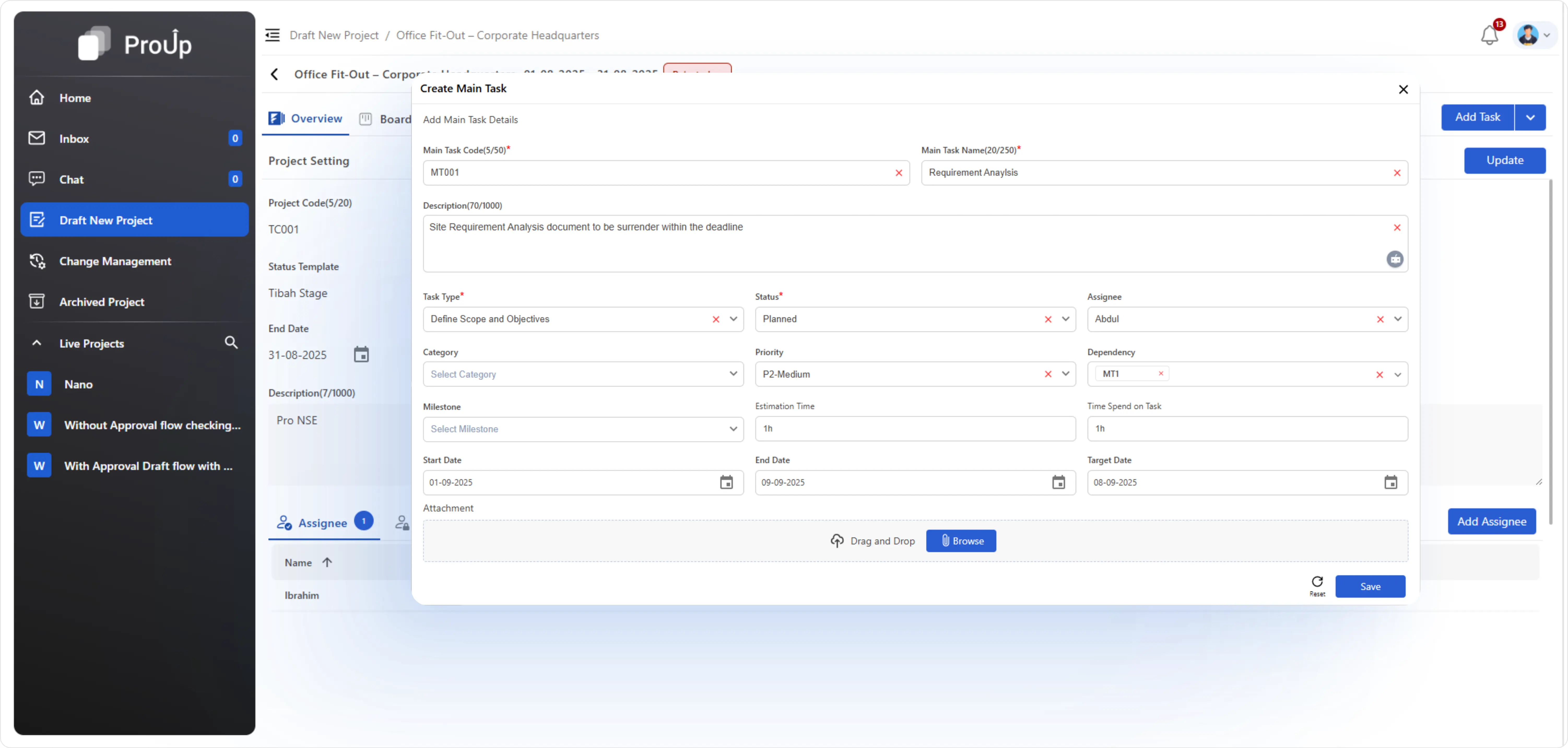
Break tasks of projects into structured phases with dependencies so progress is only counted when real work is done.
- Milestones -> Main Tasks -> Sub-Tasks hierarchy.
- Dependency logic ensures accurate progress trackin
- Automatic % completion based on real task status.
Document Security
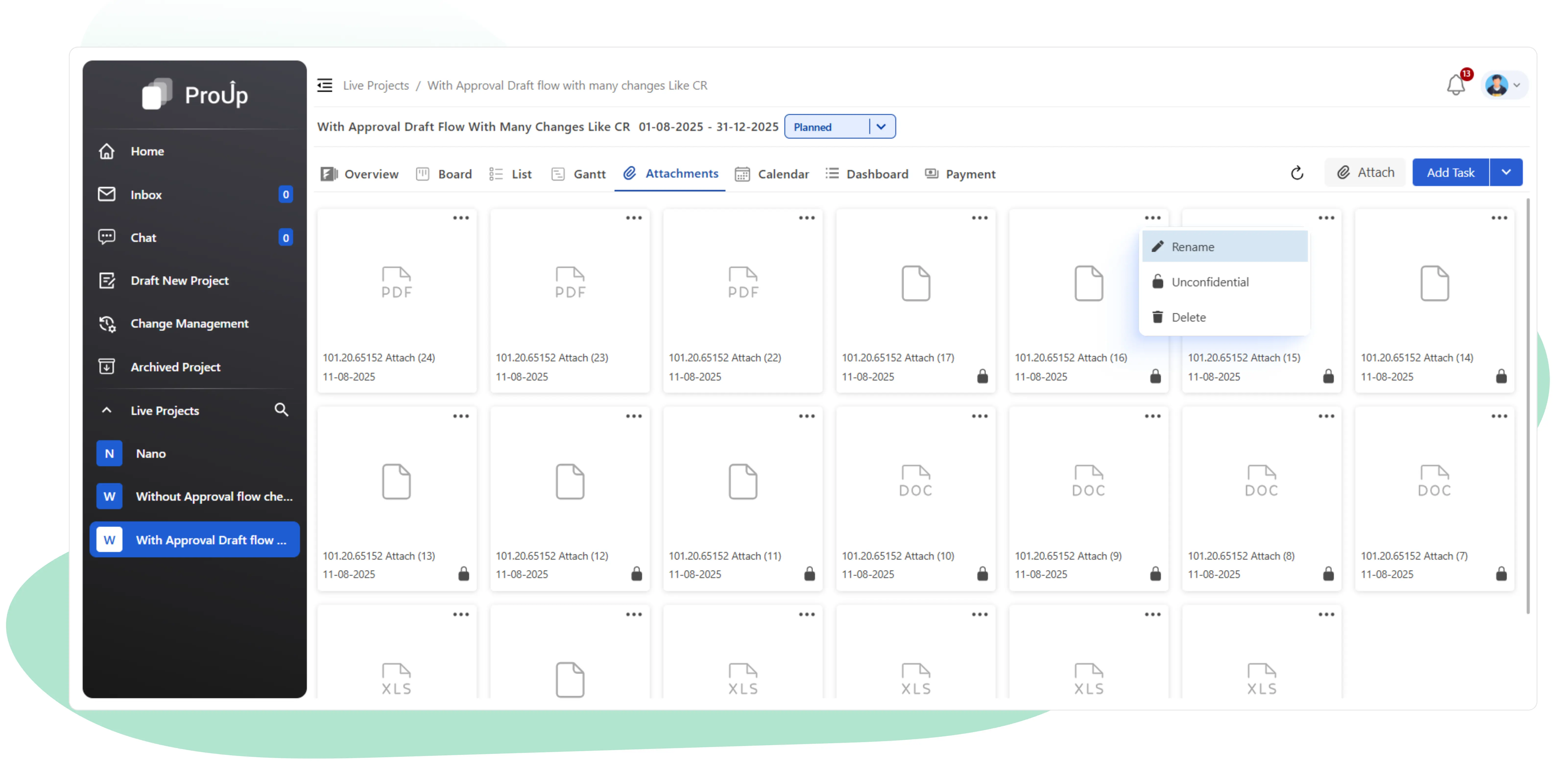
Store and share project files safely, with options to mark them confidential and restrict access to selected users.
- Attach PDFs, images, reports.
- Mark Confidential & restrict access
- Lock icon for restricted visibility.
Multiple View
See your projects as timelines, boards, calendars, or list — choose the view that fits your working style.
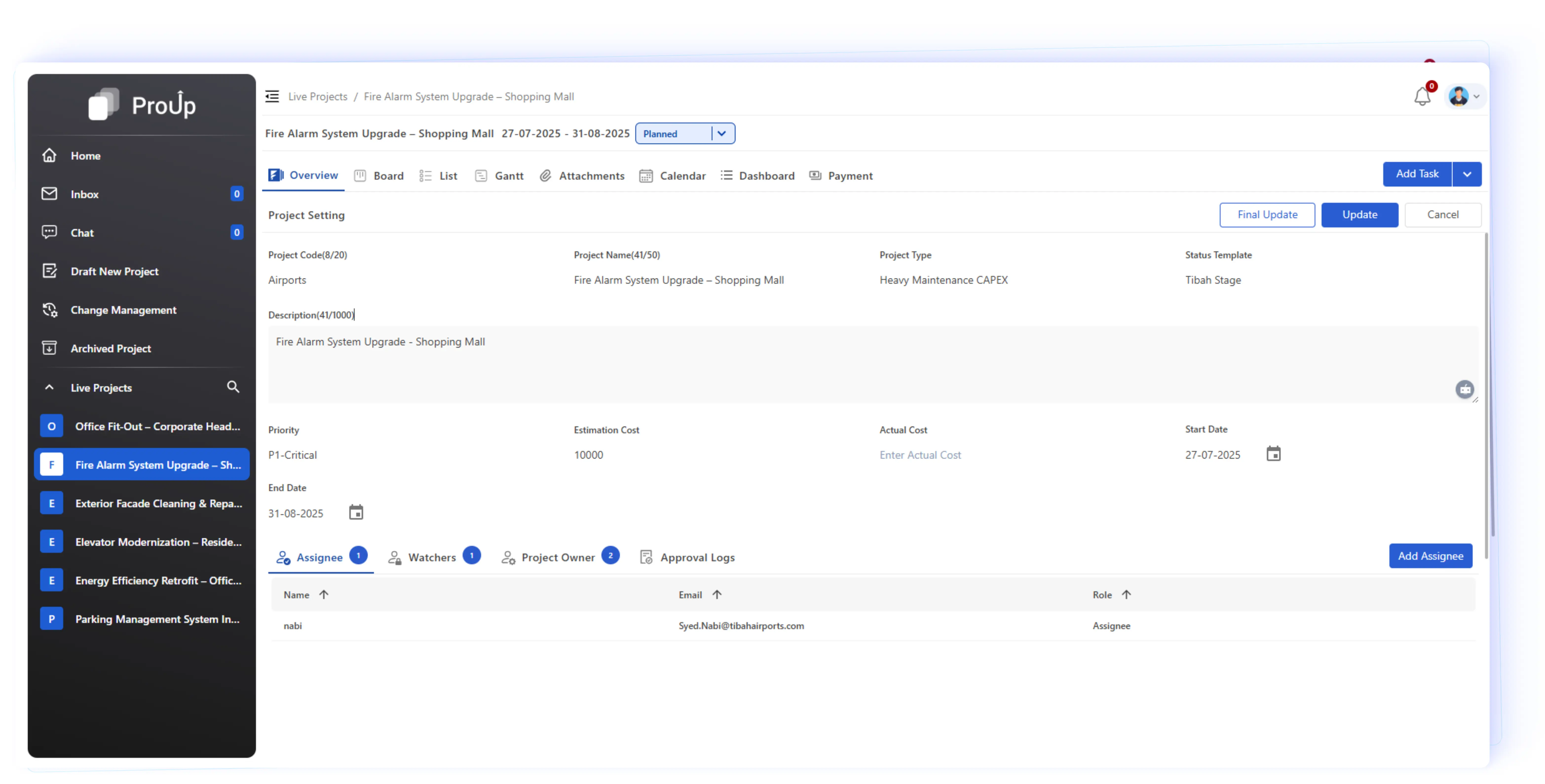
Project Overview:
Centralized project details with timeline, roles & team members at a glance.
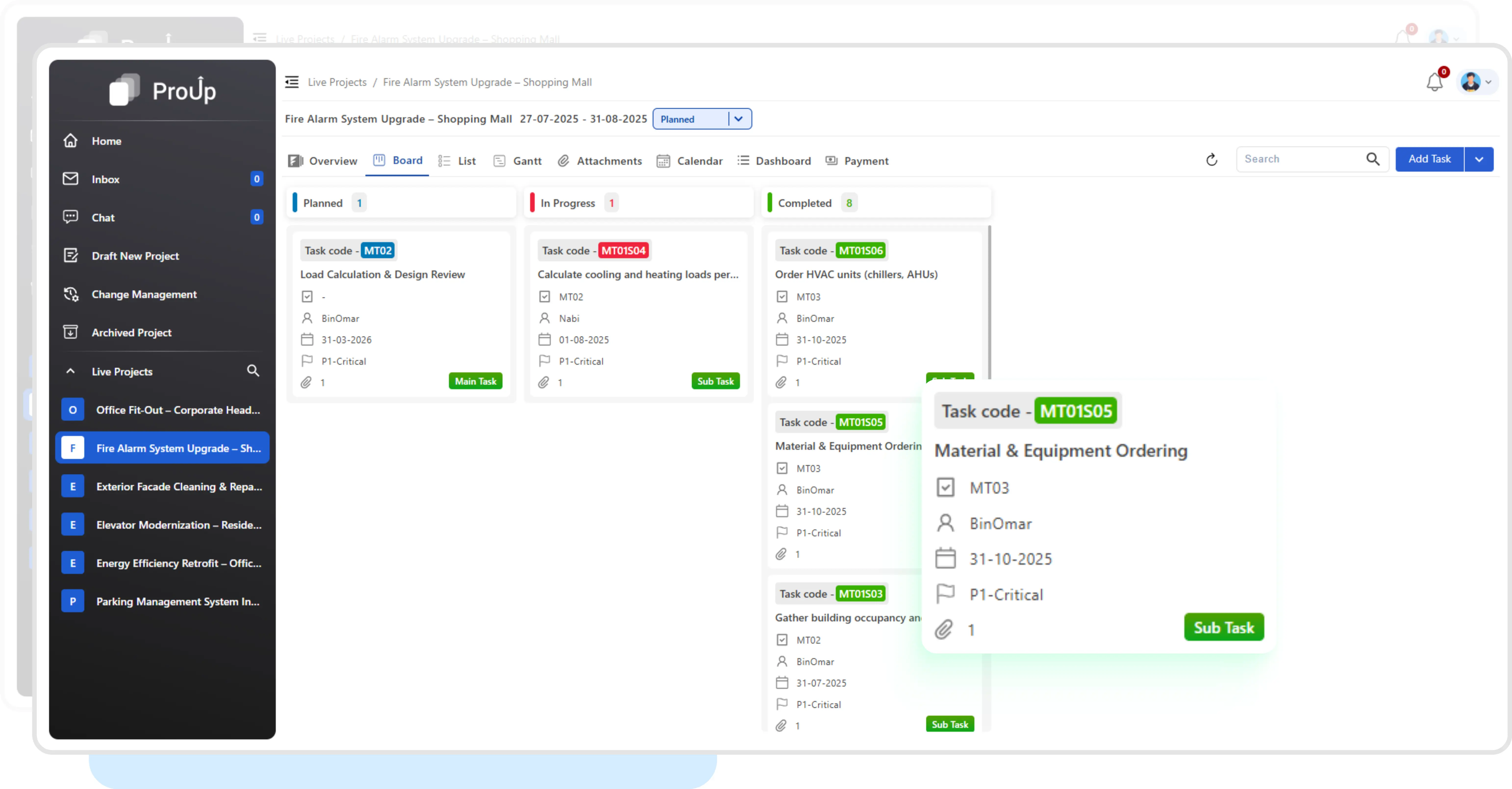
Kanban Board:
With Drag and Drop status updates, perfect for agile teams.
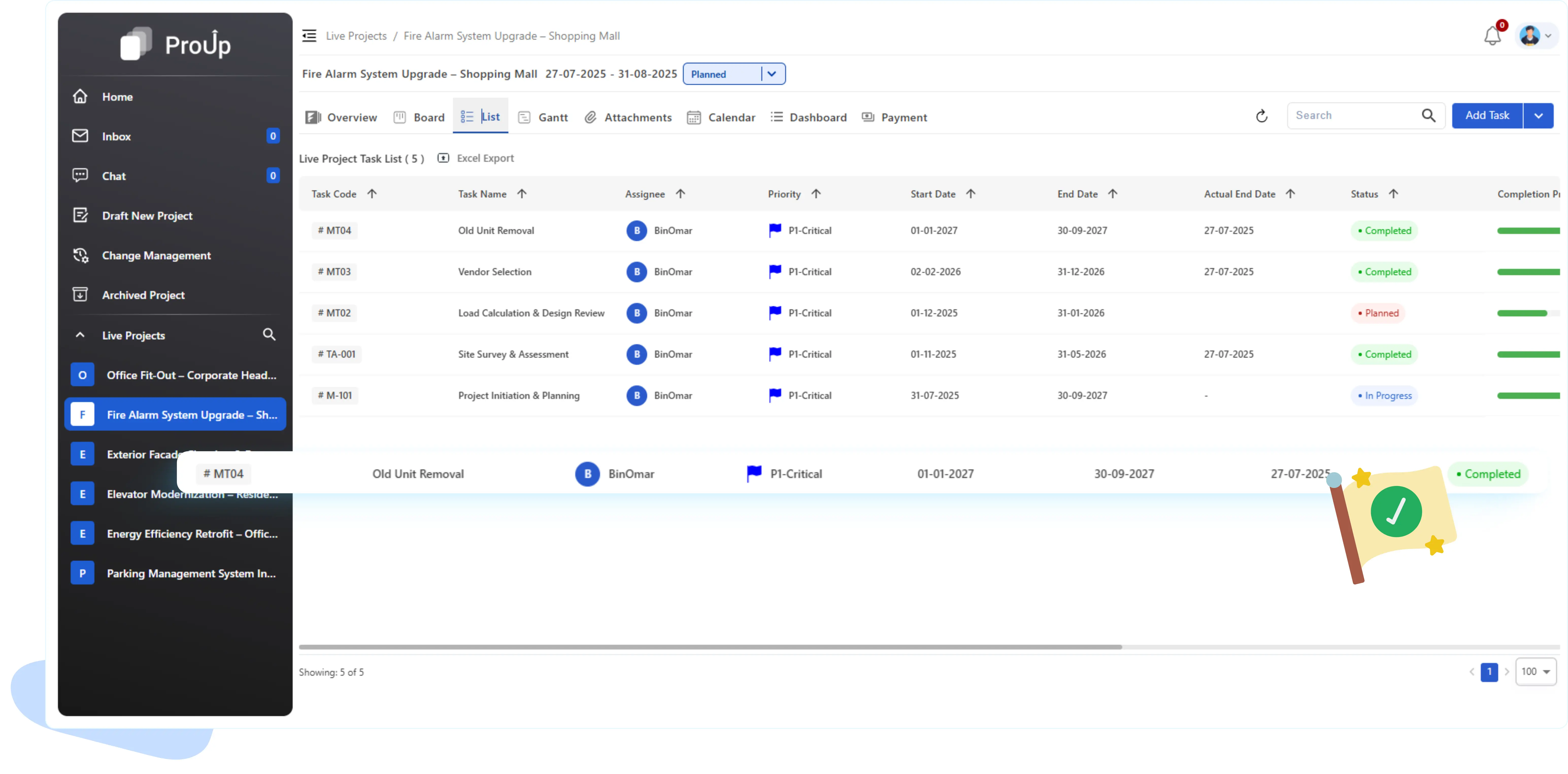
List View:
Hierarchical task list, with task edit option directly within the table.
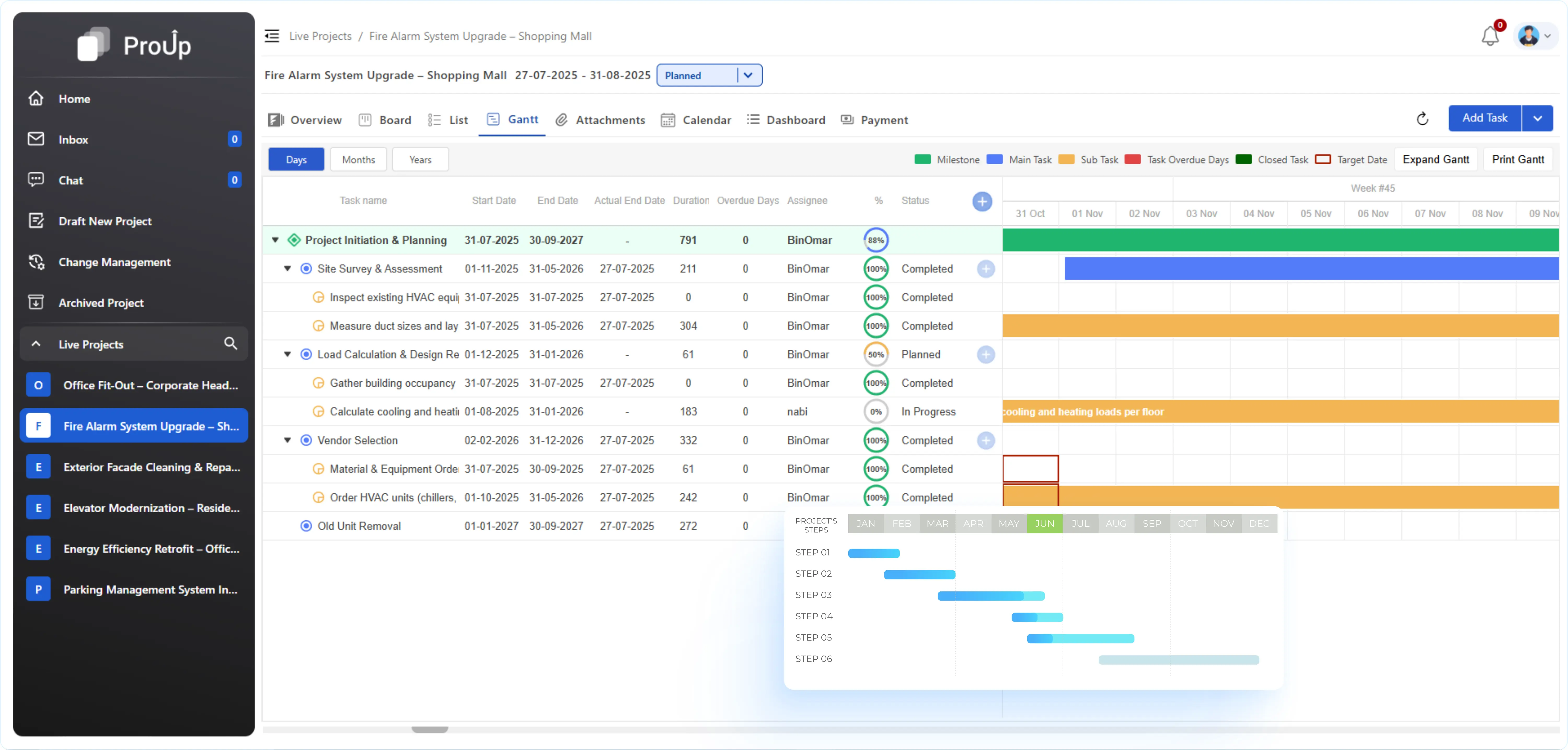
Gantt:
Visual timeline with progress bars to monitor overlaps, delays and deadlines.
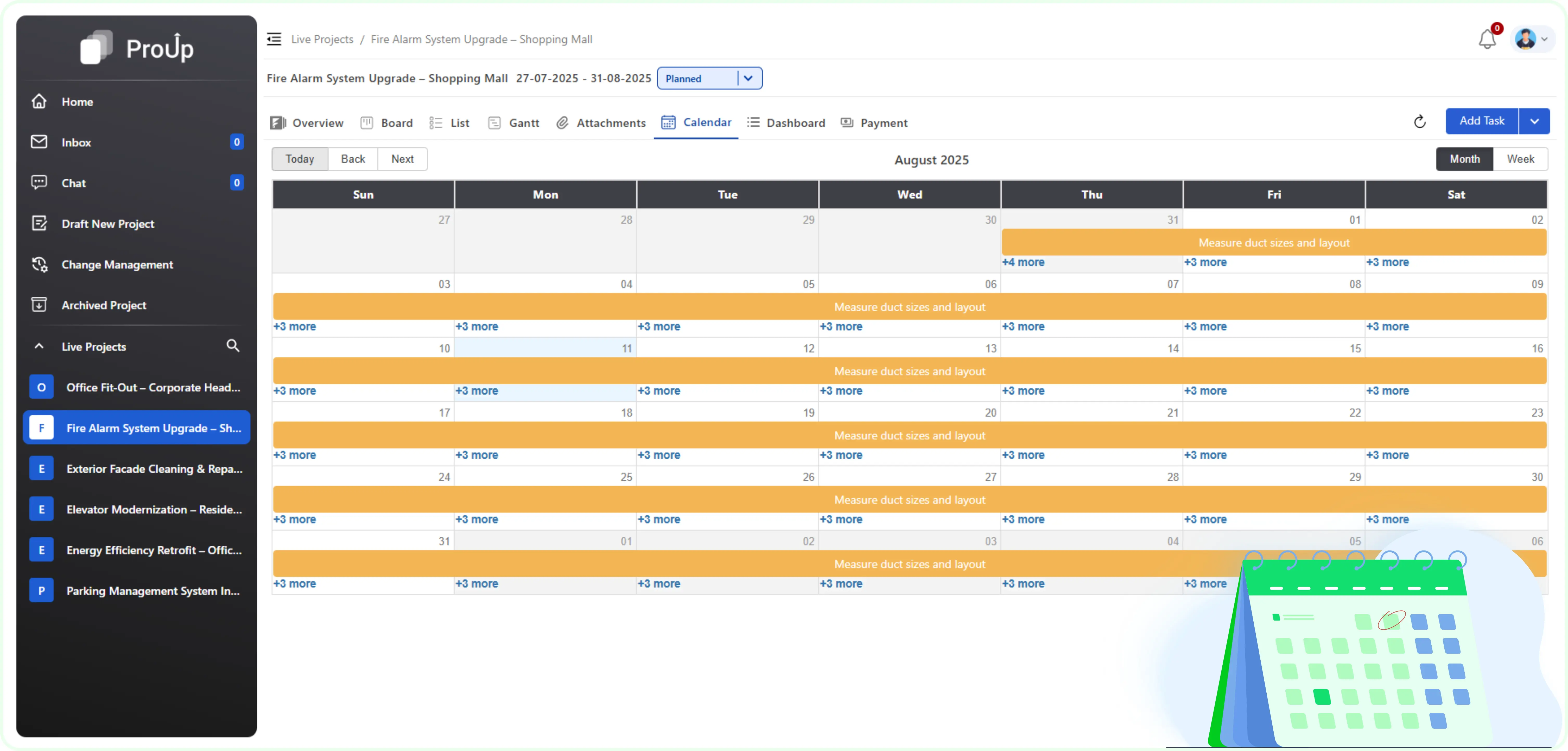
Calendar:
Day/Week view with color-coded tasks for easy daily planning.
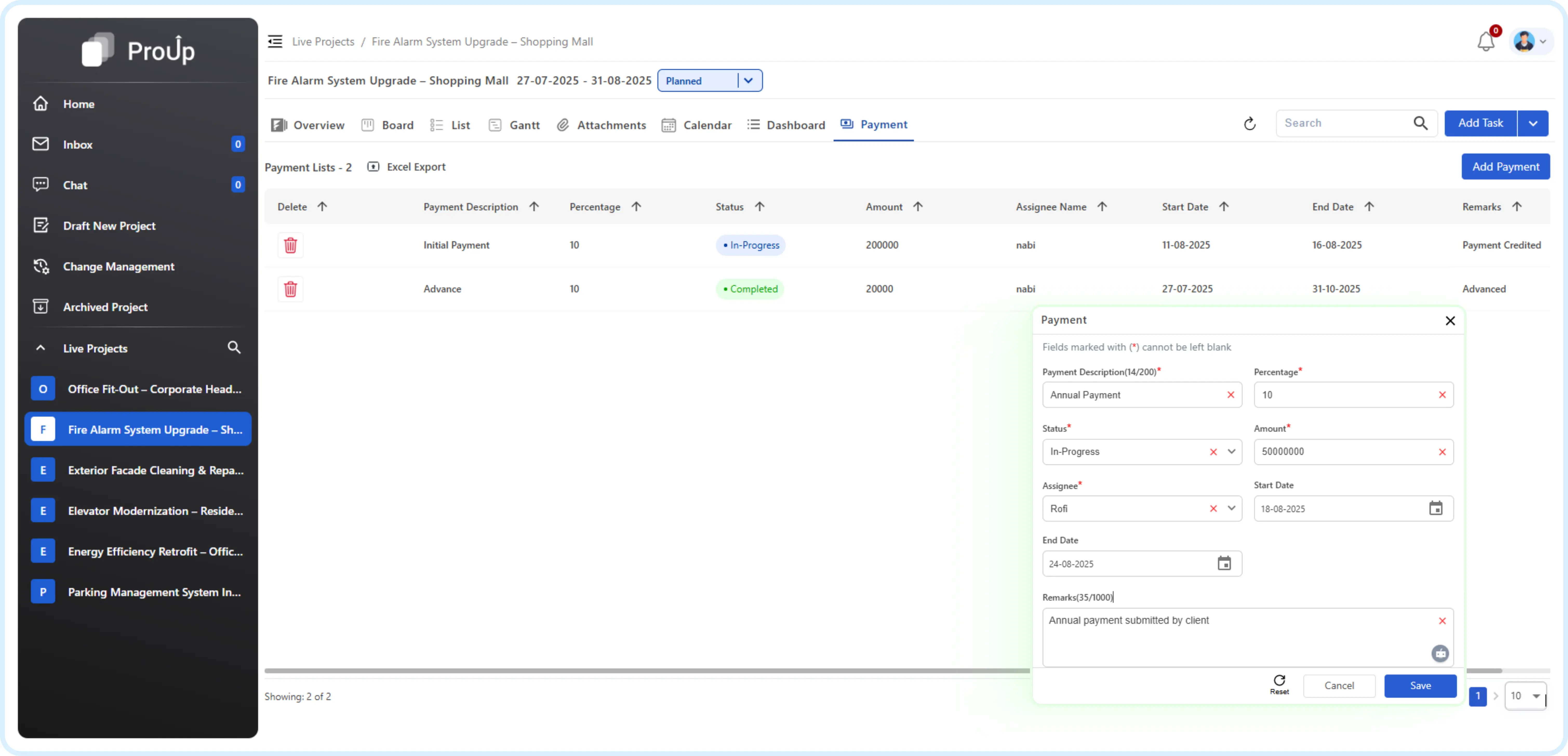
Payment:
Secure and seamless transactions with multiple payment options.
Chat
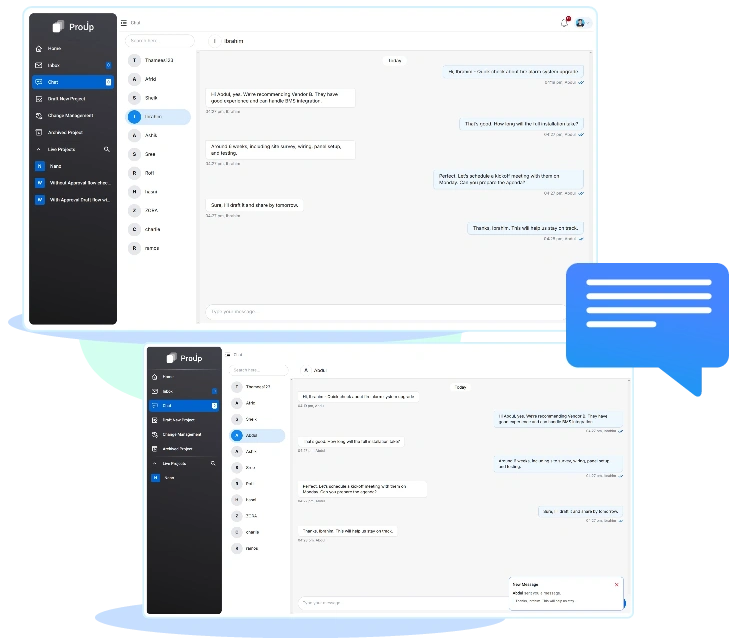
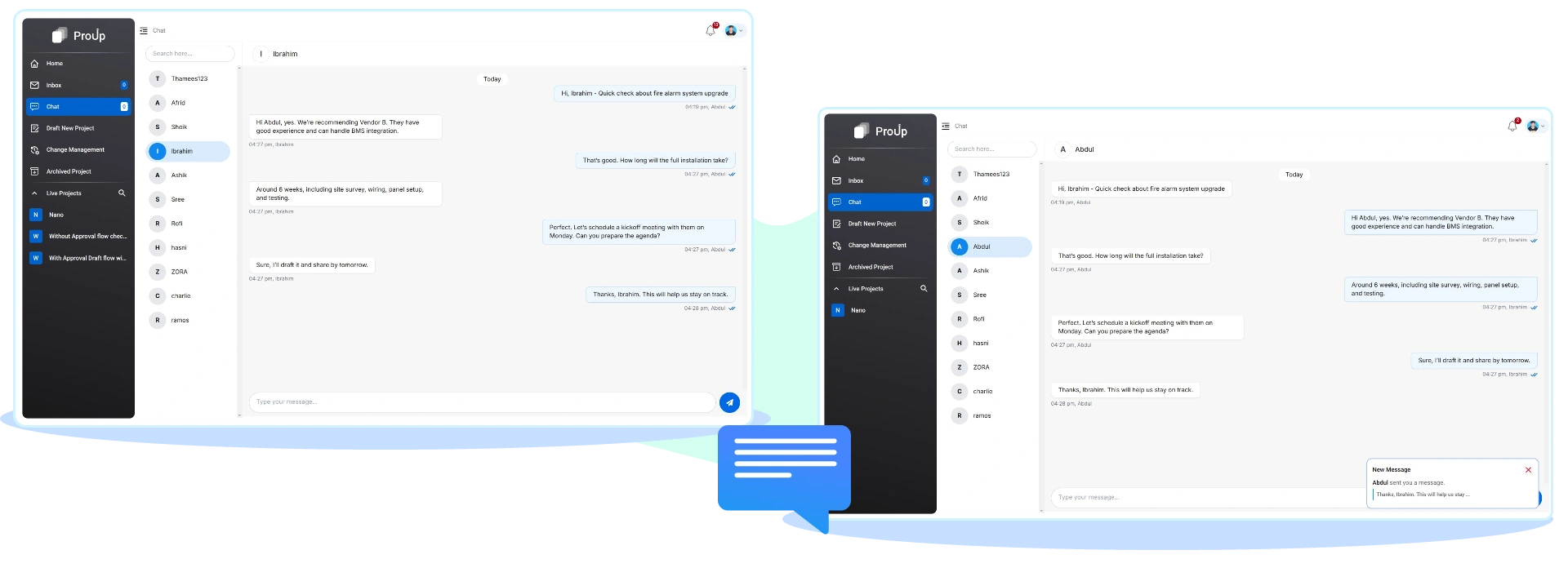
Collaborate instantly with team members inside ProUP without switching to external apps.
One-on-one messaging within Pro Up Notifications open the conversation instantly.
Governance & Control
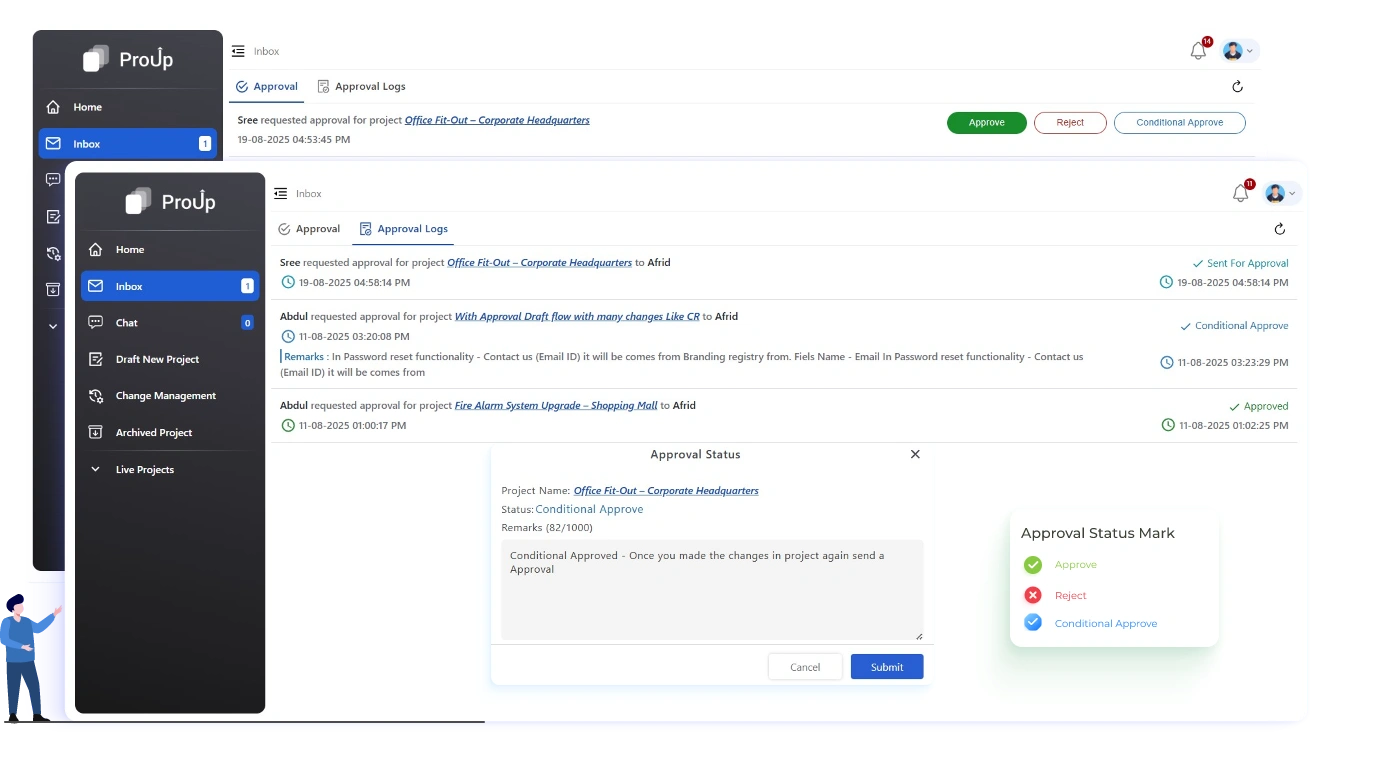
Approval Workflows:
Route projects for review and approval with instant notifications and an auditable history of every decision.
- Instant notifications via Inbox, Email, and Bell.
- Approve, Reject, or Conditionally Approve.
- Full audit trail for compliance.
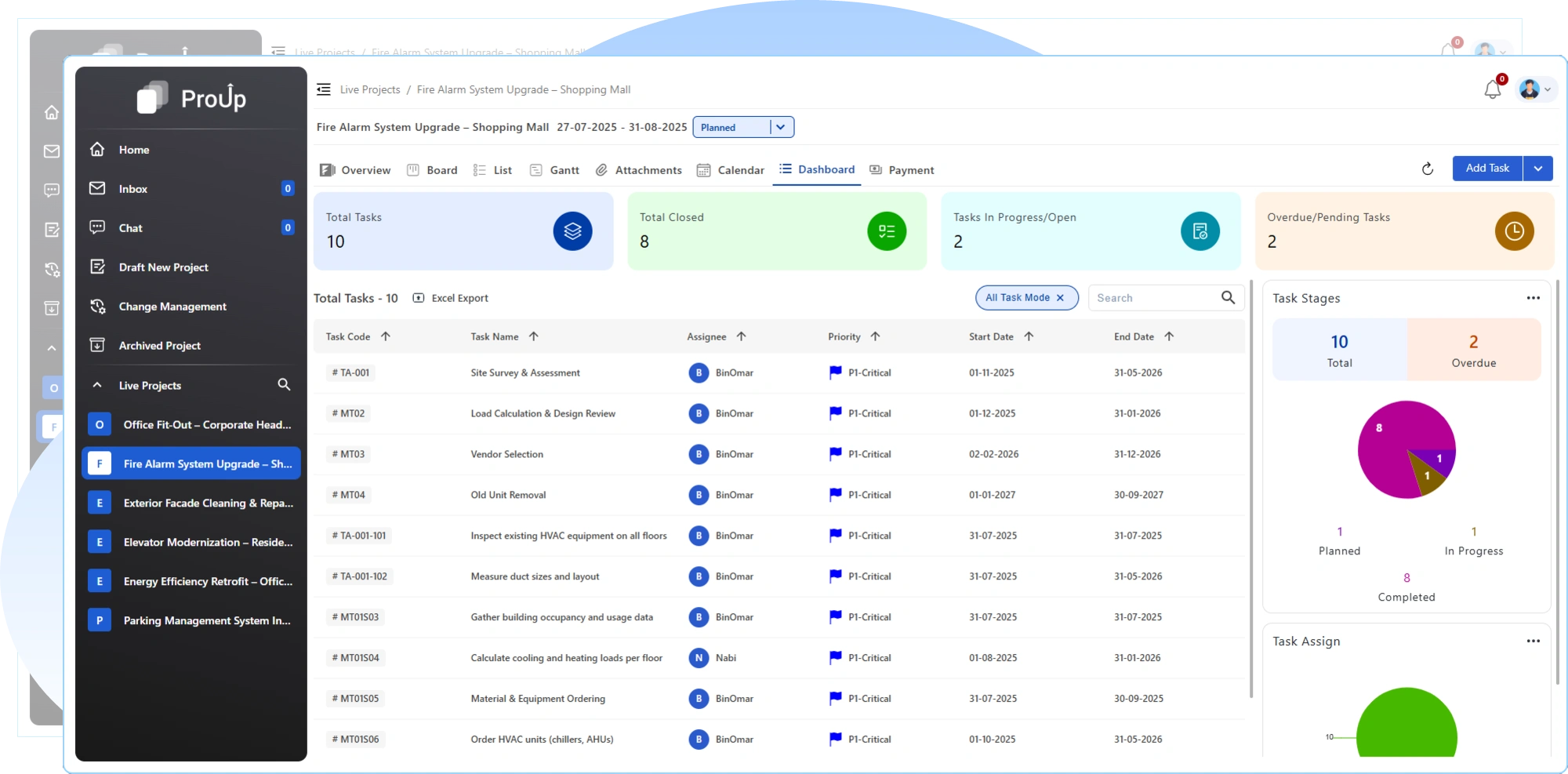
Live Projects:
Frozen for Integrity, protect approved projects from unauthorized edits — only allow status updates, comments, and actual cost entries.
- Only status updates, comments, actual cost allowed.
- All structural changes go through Change Requests.
Archived Projects:
Keep completed projects for compliance and reference — all history preserved, no accidental edits.
- Read-only for compliance.
- Full history preserved.
Change Management System (CMS)
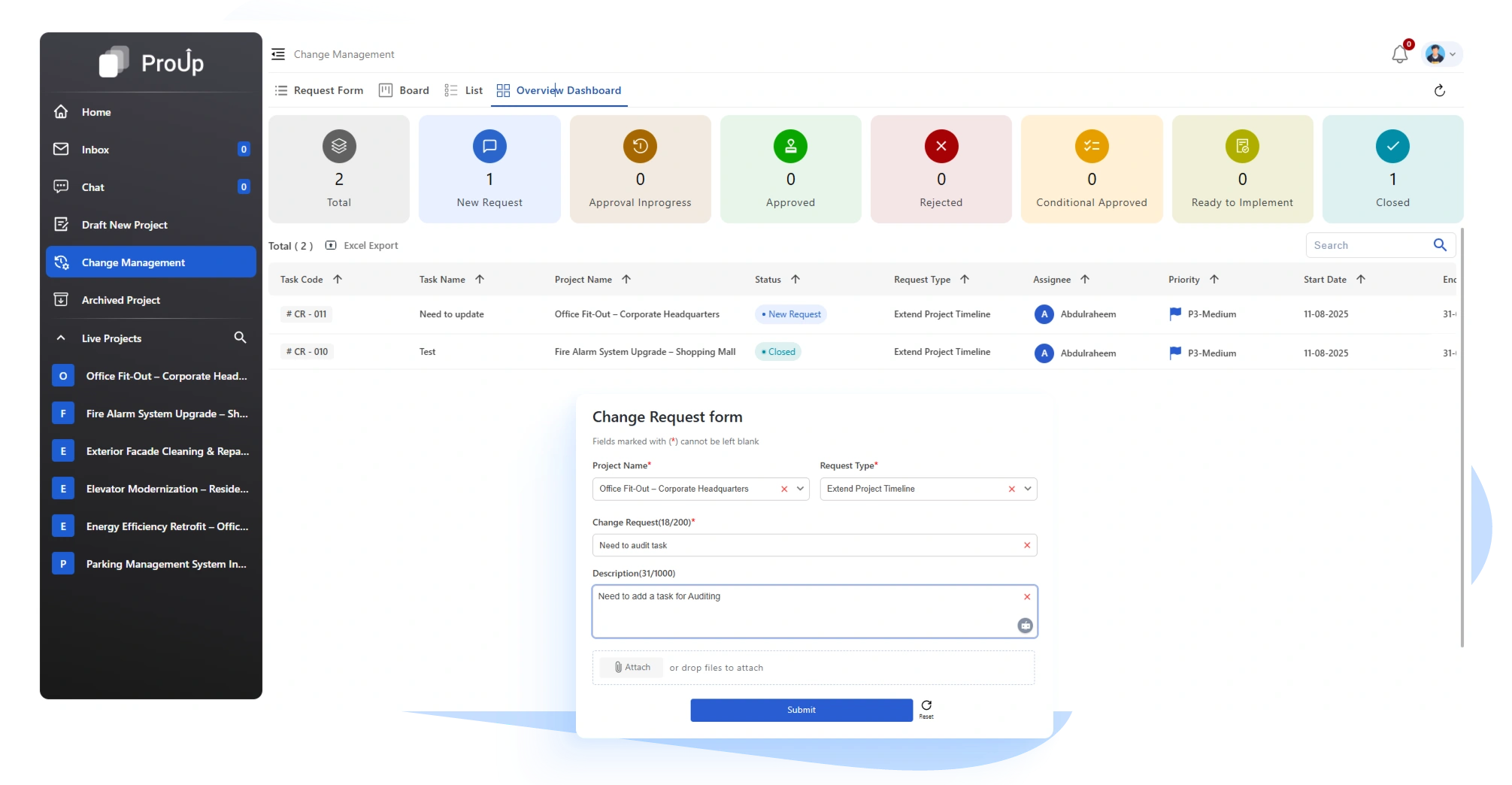
Make controlled updates through formal change requests, ensuring every modification is approved and recorded
- Submit CR -> Approve -> Unlock -> Update -> Auto-close CR
- All changes tracked and linked
Dashboard & Insights
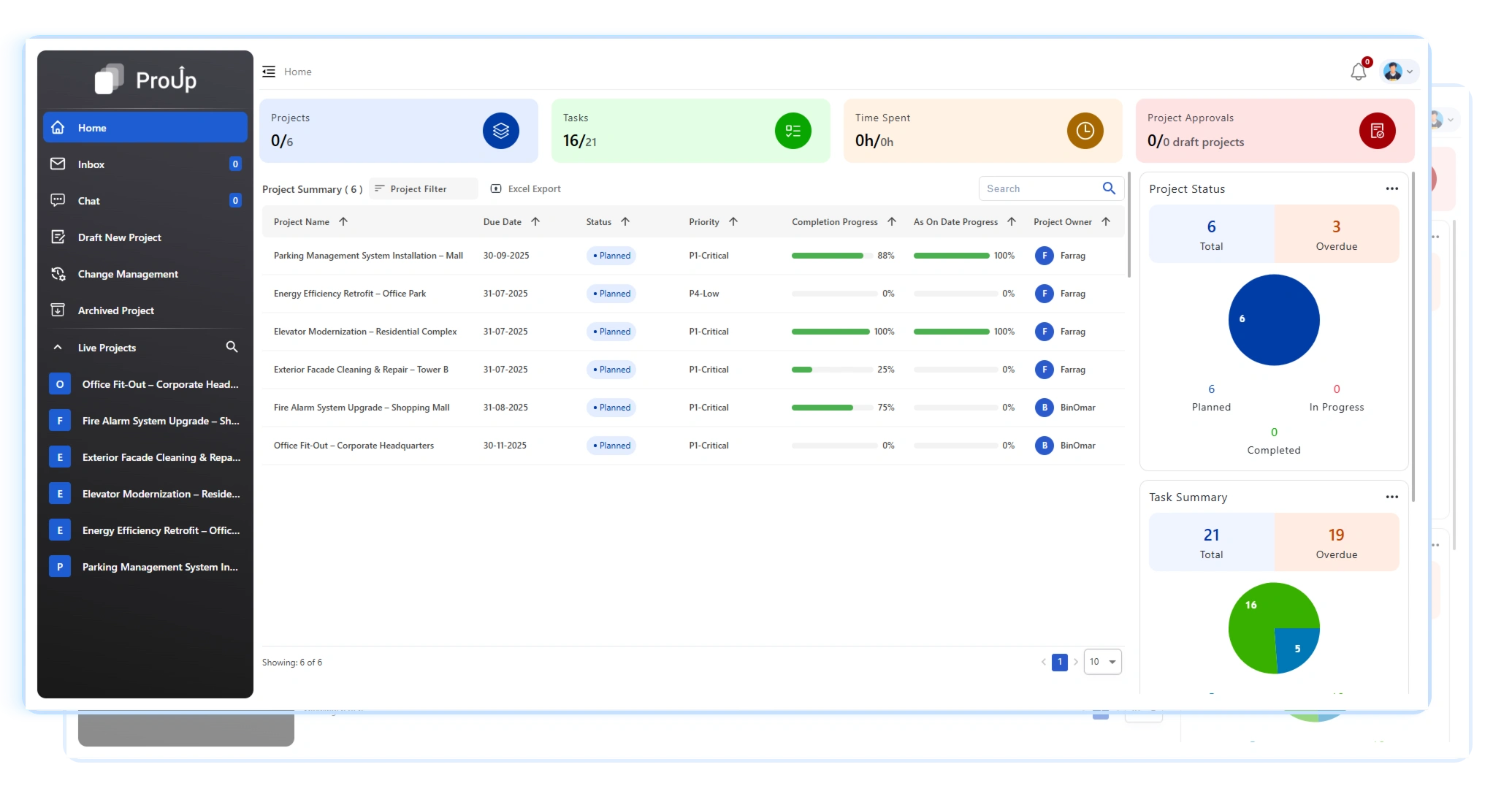
Home Dashboard:
Your command center with personalized KPIs, task overviews, and instant access to assigned projects.
- Personalized for every user.
- Smart Cards for quick KPIs.
- Charts: Project Status, Task Summary, Priority Split.
- Dynamic Tables: Projects/Tasks assigned to or raised by you.
Smart Cards & Charts:
Visualize project progress, task completion rates, and workload distribution with real- time graphs, dynamic tables.
Quickly filter and view projects or tasks assigned to or created by you for better daily planning.
One Platform. Multiple Benefits
Enjoy single sign-on, shared permissions, and mobile-friendly access, all within the SMART FM ecosystem
Who its for

Facility Managers
Track upgrades, repairs

Project Engineers
Plan & execute

Supervisors
Monitor workloads

Admins
Control governance & access